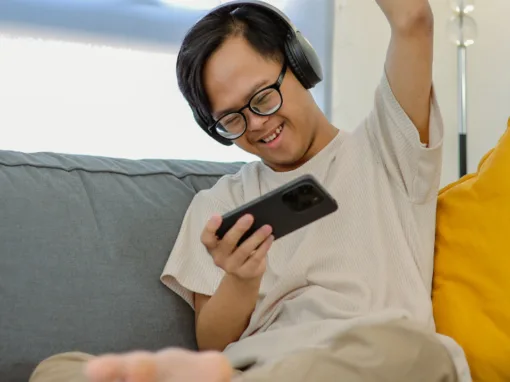
Not everyone needs someone sitting next to them 24/7 to stay safe and on track. With Smart Living, adults with autism or I/DD get true independence in their own home, with professional backup support available whenever they need it.
Every Smart Living apartment comes with remote support as a core feature, connecting individuals to our team of experienced professionals around the clock. Whether someone’s learning to manage their home, tracking their health, or just needs to talk through a decision, our remote support professionals are here as part of the Smart Living experience.
Here’s how remote support works in the Smart Living program and how it can help adults with autism live confidently on their own.
How remote support works day-to-day
The technology that connects participants
Smart Living apartments have tablets installed in different areas: typically in the kitchen, living room, and bedroom. The tablets are the main way to connect with the support team, and they’re part of the smart tech system installed in the home.
When a participant needs help, they can reach the support team at the tap of a button on any tablet or through a voice command. The system includes video and audio calling, so they can choose whether they want to appear on camera or just talk.
For example, if someone needs help with meal prep, they can call from the kitchen tablet. A remote support professional can then see what they’re working with and guide them through the next steps.
The same two-way video system can be used to get in touch with family members, friends, or others in their circle of support. This setup gives people the freedom to live independently while knowing help is always within easy reach.
Get support when needed
While help is available 24/7, most daily support happens during scheduled times that fit each person’s routine and goals. During the initial assessment, participants work with our team to determine how much support is included in their plan and when they’re most likely to need check-ins.
Some people benefit from morning check-ins to help them get ready for work. Others prefer evening support for meal preparation or medication reminders. The schedule is flexible and built around individual needs, not a one-size-fits-all approach. The goal is to provide support on the participant’s terms, without taking over their day.
How team members can reach participants
The remote support team can also reach out to check in with participants. For instance, they might call for scheduled check-ins or if a sensor detects unusual activity in the home. When they call, participants see the notification on their tablet and can choose to answer by video or audio only.
Types of remote support
Daily living support
Participants can get remote support for almost any part of daily life — from cooking and managing money to health routines and work.
Some people need daily check-ins, while others prefer occasional guidance when they run into something unfamiliar. Whether it’s budgeting, medication refills, or ordering groceries online, the team is there to help.
Skill building
Independence doesn’t just happen overnight; it’s built through practice, patience, and support. The remote support team focuses on helping people learn new skills rather than just doing things for them.
For example, a participant might want to learn how to use public transportation, improve their cooking skills, or build confidence in social situations at work or in the community. The remote support team can help people develop any skill they choose, through hands-on learning and everyday situations.
As participants master new skills, they’ll become more confident and need fewer supports in the long term. The goal is to help people become more independent over time, while knowing that backup support is always available when needed.
Practical arrangements
Need to make an appointment, arrange transportation, get a medication refill, or figure out funding options or other paperwork? Our remote team can help with that, too.
Tech setup and support
Our team makes sure all smart technology works smoothly. They can adjust settings remotely, show participants how everything works, and handle maintenance for sensors and other smart devices.
If someone wants to learn how to use a new app on their tablet, the team can guide them through each step until it’s working the way they want, or simply set it up for them. They can also help connect new wearable devices or troubleshoot technology issues.
Emergency response
While we can’t replace 911, Smart Living apartments have sensors installed that monitor for safety concerns. Smart smoke detectors, carbon monoxide sensors, water leak detectors, and fall detection systems all connect to the remote support team.
For instance, if a smoke detector goes off or sensors register a potential problem, the team is notified immediately, and a team member will call first to check what’s happening. If the participant doesn’t answer, their personalized protocol might include an auto-answer after two or three calls. This lets the team look around the apartment and call out to make sure they’re okay. If there’s still no response, they’ll call 911, dispatch a Direct Supports Professional, or call a family member.
Participants can also call for help anytime using the tablets or other tools, like alert buttons placed around the home.
Getting started with remote support
Assessment and planning
During the initial assessment, our team discusses needs and goals with the individual and their support circle. We create a personalized technology plan that includes the right smart devices for the apartment and a support schedule that fits the participant’s routine and preferences. This plan becomes part of their Person-Centered Plan (PCP).
Technology setup and installation
Once there’s a plan, we set up the tech in the apartment. This includes smart devices like doorbell cameras, sensors and monitors, medication dispensers, or other systems based on individual needs.
Meeting your remote support professional
After the technology is installed, a staff member will meet with the participant in their new home. They’ll finalize device setup, answer questions, and make sure the participant is comfortable with the tech.
Frequently asked questions
How much support is included in each plan?
Support levels are based on individual needs and goals from the assessment. Plans can include anything from weekly check-ins with 24/7 backup to multiple daily check-ins, depending on what’s most helpful. And what’s more, plans can be adjusted as needs or circumstances change.
Who are the remote support professionals?
Most of our remote support professionals have two or more years of experience as direct support professionals or home care aides. Every team member receives training required by the Maryland DDA (Developmental Disabilities Administration) for Direct Support Professionals. They understand how to support people with autism, Down syndrome, and other cognitive and physical disabilities.
Where is the remote support team located?
Our team works from our headquarters in Halethorpe, Maryland, but they live in the same areas as the people they support. That means they know where to find grocery stores, healthcare providers, and activities in the area, and can help with directions to a doctor’s office or restaurant recommendations.
What if needs change over time?
Support needs can change over time. Maybe someone has mastered morning routines and doesn’t need those check-ins, or they’re ready to reduce overall support but keep emergency monitoring. Plans can be adjusted as needed, and technology, schedules, and goals can all be updated as people grow in independence.
Can remote support use the tech to spy on participants? How much privacy do they have?
No, remote support professionals can’t spy on residents. Privacy is essential, and the remote support system is designed to respect that. The cameras and microphones are only activated when someone makes a call or during an emergency alert. The team cannot randomly watch or listen in. When a person receives a call, they can choose whether to answer and can use audio-only if they don’t want to appear on camera.
Individuals who participate in Smart Living have the same privacy rights as anyone else, including the right to have visitors and make decisions about their daily life.
What if someone needs in-person supports?
Remote support works great for many daily living tasks and skill-building. However, some people benefit from in-person support for certain activities; that is why Smart Living includes a small amount of drop-in supports. If someone needs more hands-on assistance or prefers face-to-face coaching for some tasks, they can expand on those supports, or hire personal care aides or other staff using funding from their DDA budget.
In-person and remote support often work well together. For example, someone might get face-to-face help with grocery shopping while using remote support for meal planning and cooking.
Participants can hire direct support through any organization they choose, or ask our team about integrating Smart Living with our Supported Living program.
The path to independent living
At Smart Living, the remote support team aims to make independence possible for each participant. Individuals live in their own space, make their own decisions, and build the life they want, knowing professional, caring support is always available when needed.
For many people, this combination of technology and human support is what makes the difference between living in a group home where others make decisions for them, or living truly independently in their own apartment.
Whether someone needs daily coaching, occasional backup, or just the peace of mind that comes from knowing help is available, remote support can be customized to fit their life and goals.
Ready to learn more about how Smart Living and remote support could work? The best way to understand the technology and support is to experience it. Come to an Open House event at our model apartment in Towson and talk with our team about goals for independent living.